 CutNow
How to Turn a Long Interview into Multiple Short Videos
Turn one long recording into distinct, self-contained short videos. Plan candidate topics, preserve context, trace source times and check each CutNow MP4 delivery.
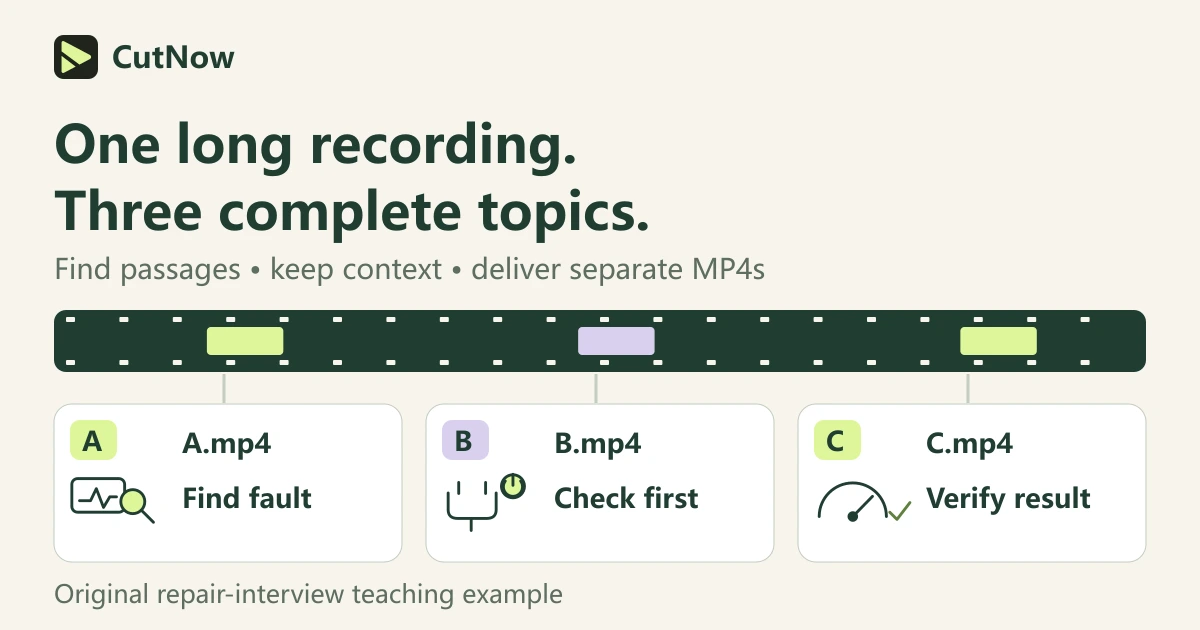
A long interview can contain several useful short videos, but somebody still has to find the passages, place the cuts and export each file. CutNow is an AI video editor for existing footage. Its long-video-to-shorts workflow automatically finds passages, sets cut points and produces multiple MP4 clips. The creator can start with those videos, then prepare titles, covers and a release plan.
The practical goal is one complete idea per clip. Instead of dividing a recording into equal pieces, give each short video a clear subject, enough context to understand it and an ending that finishes the thought. Here is how to plan that handoff from a longer recording to several publishable topics.

Decide what the short videos should do
Start with the audience and the purpose of the recording. A podcast answer might explain one decision. A course excerpt might teach one action. A panel clip might connect a question with one speaker’s response. These are useful units because somebody can understand them without watching the full episode first.
An AI clip maker is useful here when it selects passages from an existing recording and delivers a set of clips. Choose the relevant task before opening an editor. If you already know the exact start and end of one passage, you need a trim. If you have several finished clips and know their order, you need a merge. Long-video-to-shorts editing is most useful when you want the recording to provide several self-contained pieces and have not already selected every cut.
A single highlight reel is a different delivery: selected moments are assembled into one continuous video. Here the result is several independent posts, each with its own subject and ending. Sports or gameplay event detection needs its own footage and selection criteria; it is not the interview workflow described here.
Write a brief for the batch
A useful brief names the audience, the kind of moment worth keeping and the intended destination. It also says what must remain: a question, a demonstration, a condition in an answer or the speaker’s own explanation. This is a planning example, not a record of another CutNow test:
Make several short videos from this repair interview for people interested in the process. Give each clip one topic. Keep the question when the answer depends on it, include the explanation and finish the thought before the clip ends.
Leave room for different lengths. An answer that needs an example should not be forced into the same duration as a short observation. Choose a target range for the delivery, then judge the cut by whether the idea fits inside it. A length target helps define the edit; equal slices do not define the story.
Turn the brief into a set of candidate topics
Make a candidate list before deciding the release order. Use the same list to document automatically selected passages and connect each delivered topic to the original recording. For each passage, record the question it answers, the source in/out times, the condition that makes its claim true, and the line or action that finishes it. A transcript with timestamps helps locate speech; watch the picture and listen to the surrounding exchange to set the actual boundaries.
In the repair-interview teaching example, a useful set could look like this. These times and topics are invented to show the method; they are not the internal interview’s results.
| Candidate / source time | Standalone subject | Keep inside the clip |
|---|---|---|
| A · 02:10–02:46 | How the fault was identified | The symptom, test and observed result |
| B · 08:05–08:47 | Why the connector was checked first | Switch off the power first; then explain the check |
| B′ · 08:18–08:47 | A shorter version of B | Compare with B before choosing one version |
| C · 15:20–16:02 | How the repair was verified | The final test and what its result shows |
Start A where the viewer can identify the symptom. Keep the power-off condition in B even if the shorter B′ reaches the same conclusion faster. End C after the verification result, before the next repair topic begins. If the target length cannot hold the necessary context, narrow the question or allow a longer clip.
Build each clip around one complete idea
For an interview, a useful short usually needs an entry, a point and a finish. The entry tells a new viewer what is being discussed. The point is the answer, example or demonstration. The finish arrives when that point has been made, before the conversation moves to a different topic.
If an answer starts with “that was the problem,” include the words or picture that explain what “that” means. If the speaker gives a condition before a conclusion, keep both. Choose a title that describes the passage you have, rather than cutting words to support a more dramatic claim.
In the repair-interview planning example, separate topics could be spotting the fault, choosing the first repair and explaining the result. They can become different posts because each answers a different question. Three consecutive chunks of the same unfinished answer would not serve the same purpose.
For a public example of an excerpt you can watch on its own, see How Lawsuits Can Silence People, a 1:47 English-language excerpt from a Wikimedia Foundation recording. Its source recording is available under CC BY-SA 4.0. It illustrates a single viewing experience; it is separate from the internal multi-clip example below.
Choose distinct ideas across the batch
Review the candidates together as well as individually. First compare their source intervals: B and B′ overlap and are alternative edits of the same answer. Then compare their actual claims: two distant passages can repeat the same conclusion with different words. Changing the title alone does not create a new topic.
For two versions of one answer, prefer the one that preserves the question, condition and useful example with the clearest finish. Keep the other as an alternate, linked to the same topic ID. Keep both as separate posts only when each answers a different question—for example, diagnosing a fault versus verifying the repair—and each provides its own context.
Do not remove a necessary shared introduction just to eliminate all repetition. A person who sees C first still needs to know which repair is being checked. The aim is a set of distinct, complete posts; their publication order should not be required to understand them.
Let CutNow handle passage selection and the first cuts
With a manual workflow, a creator browses the recording, notes possible topics, locates the boundaries and exports each short. CutNow connects passage selection, cut points and multi-clip MP4 delivery, so the next content discussion can begin with actual videos.
In one internal validation using an existing interview, CutNow exported five question-and-answer MP4 clips, approximately 15–67 seconds long. That is the result of that particular example, rather than a fixed number or duration promised for every recording. This page uses the original diagram above; it does not republish that interview, its internal test clips or still images.
The value of this handoff is concrete: the recording has become a set of separately playable files. The creator can decide what to call each piece and where it belongs in the account’s content plan. Those are normal publishing decisions made around already edited video.
Keep source times separate from clip times
Keep an edit record alongside the delivered videos. Source times point into the original recording; clip times begin at the start of each exported file. In the teaching example, a continuous unretimed B from 08:05 to 08:47 is about 42 seconds long. Its first frame is near clip time 00:00, not 08:05.
If a clip joins two source ranges, record both in playback order rather than describing them as one continuous passage. Removing a pause, adding an opening card or changing speed changes the local timing. Captions must follow the final MP4, while the edit record keeps the source references for checking meaning. After a boundary change, update both the export version and the record.
A practical row contains: source filename/version, topic ID, ordered source ranges, final MP4 filename, final duration, picture layout and caption version. This lets another editor return to the right part of the recording without guessing from the headline.
Prepare the version you intend to publish
Decide the picture layout after deciding what the clip says. A vertical version should keep the relevant speaker, demonstration and on-screen information in view. Keeping the full picture with space around it and cropping to fill the frame are different choices; compare them using the actual passage.
If you add captions, pair them with that exact video version. Check names and numbers, useful line breaks and whether the text covers something the viewer needs to see. The subtitle guide explains this part of delivery.
Keep the files connected to titles and covers
Create one row per final MP4 in a simple publishing sheet. Record the filename, its topic, a working title, the cover filename and the planned account. Add a release date when the sequence is decided. A stable filename lets another person find the right video even while a title changes.
For the illustrative repair interview, those rows might cover “How the fault was identified,” “Why this repair came first” and “What the final check showed.” These are planning examples, not titles from the internal interview. Publish them in an order that works for the audience, with each post making sense on its own.
Before sending a file, play the final version and match it to its title and cover. Keep any later captioned or reframed version clearly named. This last check is a normal content handoff, just as it is for manually edited video.
Check each MP4 as an independent delivery
Open each final file on its own, with the source recording and the rest of the batch closed. Use the following checks for every row of the delivery list:
- Meaning: the opening identifies the subject; the question, negation and conditions remain; the ending completes the point.
- Difference: the topic adds something distinct to the batch, and an alternate edit is clearly labelled as an alternate.
- Picture and sound: inspect the beginning and ending for clipped words or abrupt action cuts, listen through the file for continuity and sync, and watch every speaker change or demonstration in the chosen crop.
- Captions: verify names, numbers, timing and legibility at phone size. Keep text away from the important action and allow space for the destination’s interface.
- Package: the file opens and plays through, its title/cover describes that exact topic, and its source ranges, final duration and version are recorded.
Deliver A, B and C as separate MP4 files if the brief calls for three independent posts. A preview montage or a folder of timestamp notes does not replace those files. For example, repair_B_9x16_cap-v2.mp4 can be paired with a row for source repair-interview-v1.mp4, range 00:08:05–00:08:47, and caption version cap-v2. The illustrative time range is a reference, not a claim about an exported test file.
Choose the next step for your recording
Use this workflow when one longer recording should supply several short pieces. For a full YouTube episode, see the YouTube editing guide. If you are deciding which tool fits your work, use the task-based CapCut alternatives guide.
Explore CutNow for automatically selecting passages from longer footage and turning them into separate short-video files. Use each clip’s topic to plan your title, cover and publishing order.
Prepared by the CutNow team with AI writing assistance. Internal example source: 影视飓风, 《关于“活着”,我们问了问余华》. The source link identifies the interview; it is not a reuse licence or an endorsement.