 CutNow
How to Make a Video Montage That Shows a Complete Story
Make a montage from your own footage: give CutNow a story brief, choose moments that explain the change and keep useful original sound in one coherent first cut.
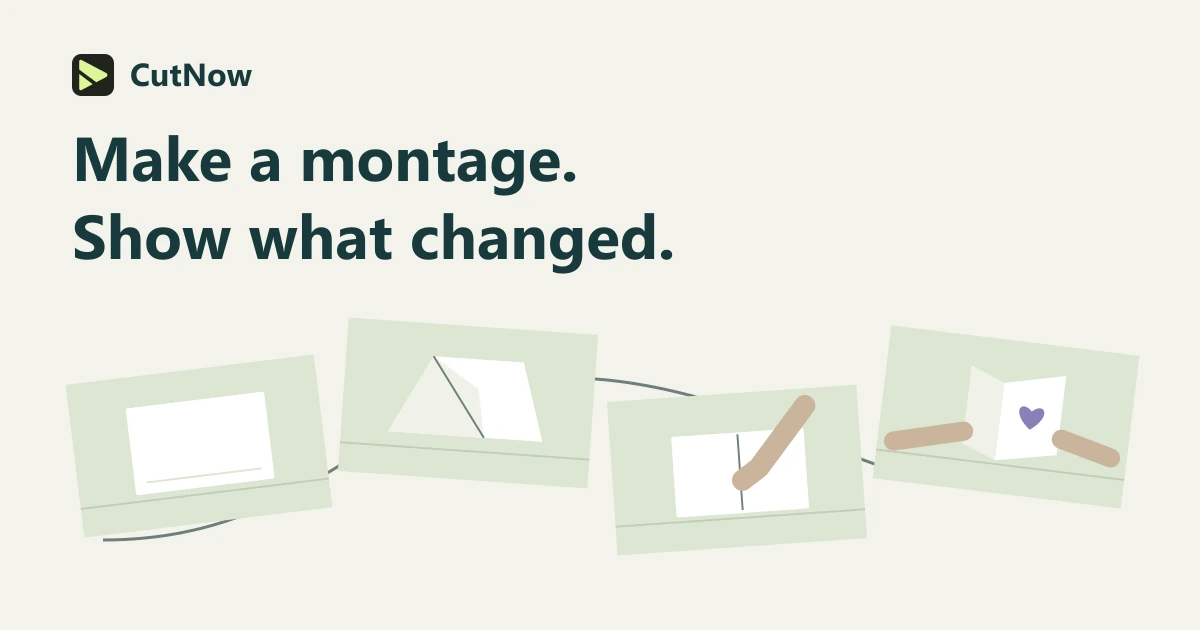
A useful video montage turns several recordings into one visual story: something begins, an action changes it, and the viewer sees the result. CutNow is an AI video editing product for footage you already have. Its footage-editing workflow connects automatic shot selection and ordering with a first cut that keeps useful original sound, without adding narration.
The creative brief gives that automation a purpose. Instead of deciding every source in-point before editing starts, describe what the viewer should understand. Then work from the assembled version to judge the story, the action and the ending.
Give the montage an observable change
Start with a sentence that can be demonstrated in pictures. “A sheet of paper becomes a handmade card that someone receives” gives the edit a direction. “Show my best clips” leaves the connection between them open.
For this guide, imagine your own recordings of making a greeting card. This is an original teaching example, not a reported CutNow production. You have a table-wide view, repeated folding takes, a close view of pressing the crease and a recording of handing over the finished card.
The montage should make that change understandable without a new voiceover. It can compress waiting and repeated attempts while keeping the actions that explain the result. A beautiful close-up earns its place by revealing the material, the work or the finished object.
Give CutNow the relevant footage and the story brief
Keep together the recordings from this one activity, including useful alternatives. You do not need to turn the whole folder into a manually approved shot list before automatic selection can begin. Identify the important event and any source that contains the result; keep the original filenames so a later edit can return to the source.
A concrete brief could be: “Make one original-sound montage showing this blank sheet becoming a finished greeting card. Keep the fold, the crease being pressed and the handover. Use the clearest view of each meaningful action; keep the paper sounds and add no narration.”
Include the intended viewing shape and approximate length as delivery requirements. CutNow's automatic finding and first-cut organization then have a particular outcome to serve: a single sequence whose selected moments explain the change. That is different from merely joining complete files in filename order.
Choose shots by the information they add
In the assembled first cut, ask what each shot lets the viewer learn. The card example offers specific editorial choices:
| Story job | Useful view | Decision to make |
|---|---|---|
| Establish the starting point | The blank sheet on the work surface | Keep enough context to recognize the material |
| Show the change | Hands folding the paper | Retain the movement that creates the fold |
| Explain the important detail | A close view of pressing the crease | Prefer the angle that makes the pressure visible |
| Deliver the result | The finished card being handed over | Let the viewer recognize the same card and see the exchange |
Two recordings can cover the same fold. Use the view that explains it best, or change angle when the second view adds information. Repeating the whole action from every angle can make a short process feel stalled. Conversely, cutting straight from a flat sheet to a finished card may omit the event that makes the transformation satisfying.
CutNow's role is to connect finding these usable moments with organizing a playable sequence. The review starts from that sequence: “Keep the hand in view until the fold closes” describes the desired edit more clearly than another instruction to make everything exciting.

Let the action determine the pace
Watch each meaningful movement through its completion. A fold needs enough screen time to be understood; a stationary shot after the movement may need much less. There is no requirement for every shot to have the same length.
When changing angle during one action, check the outgoing and incoming positions together. The hands should not appear to undo the fold unless that is actually part of the story. Remove repeated setup when it adds nothing, while keeping the link between cause and result.
For an event montage, the equivalent might be arrival, a shared activity and its outcome. Preserve the relationships you want people to perceive. Order can compress time, but a sequence should not imply an event or result the recordings do not support.
Keep the original sound that makes the scene tangible
Paper movement, the sound of pressing the crease and a recipient's short reaction can carry the scene without narration. Listen across the picture cuts so that these sounds stay connected to their actions. A quiet passage is also useful when it lets an important sound register.
In a finishing editor, an audio bridge can let the preceding sound continue over the next picture, or introduce the next sound before its picture. These are split edits; Adobe's official J- and L-cut guide explains the distinction. Use the technique where it helps the scene, rather than moving a specific impact sound away from its visible contact.
Music is optional. If you add it, choose a track whose permission covers the intended destination and leave meaningful original sound audible. For YouTube, its Audio Library guidance explains track licensing and when attribution is required; do not assume a platform's music permission automatically covers every other destination.
Review one playable version as a whole
Open the actual exported video and watch the starting point, the decisive action and the result together. Can someone follow what changed? Is the handover visible long enough to recognize it? Does the original sound belong to this edit?
Name the version clearly, for example greeting-card-original-sound-v1.mp4, and keep source notes with it. A later cut-point change, title or caption should refer to that same version. The first-cut handoff guide covers the next editing discussion; the raw-footage guide explains the broader source-to-edit workflow.
If your complete clips already have a fixed order, use the ordered-joining tutorial. For a montage whose shot choices and structure are still open, explore CutNow to connect the footage with a clear first-cut brief.
Written by the CutNow team with AI assistance; reviewed for product claims and source scope.